
🧪 Pool Testing Instructions
We test the pool water daily using the Taylor Technologies K-1001 3-Way DPD Test Kit. Two measurements are taken: Total Bromine and pH. Both tests can be run at the same time — just make sure each cell is filled correctly before adding reagents.
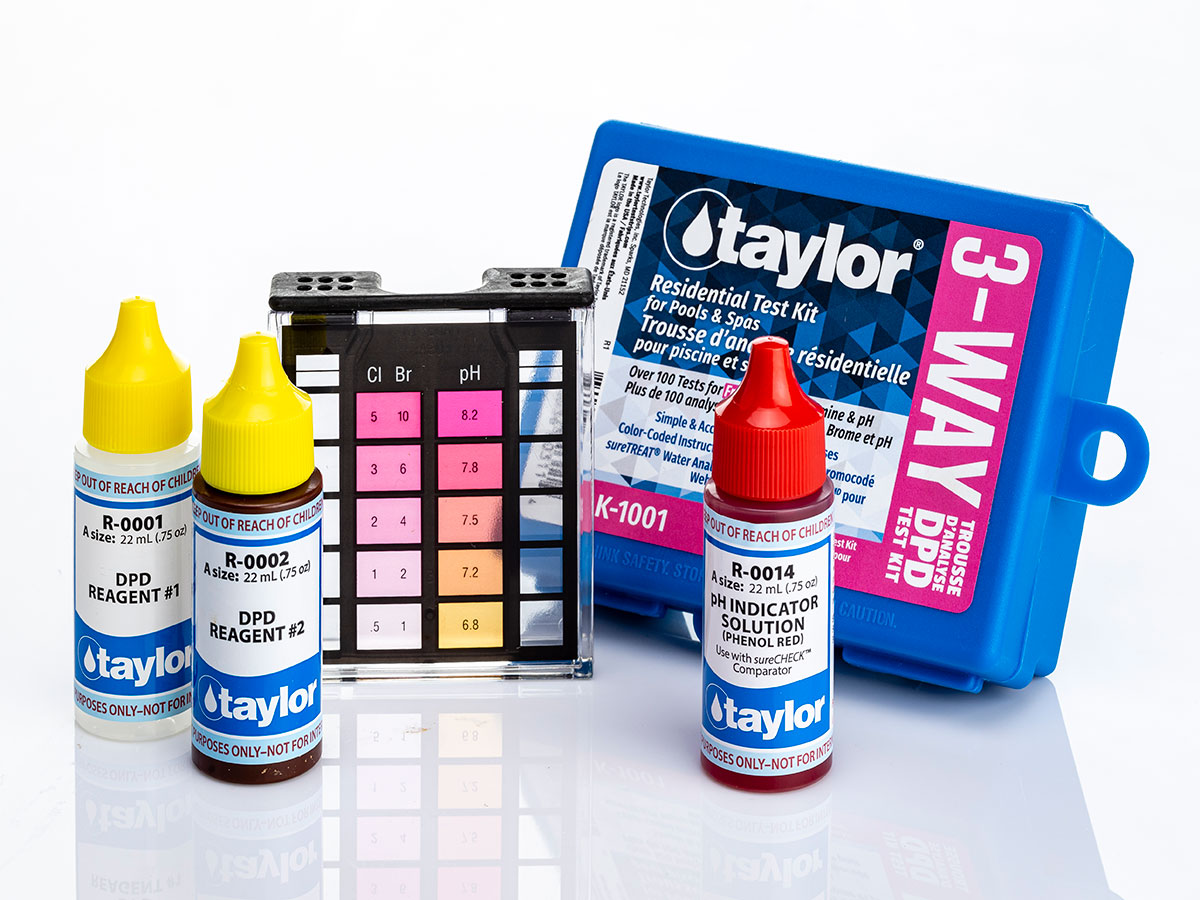
Target Levels
Total Bromine
2–3
ppm (pool)
pH
7.4–7.6
ideal range
💡 Do both tests at once: Fill the left cell for Bromine and the right cell for pH at the same time — both up to the black line — then add reagents to each and read results together.
🟡 Total Bromine Test
Uses R-0001 + R-0002 · Read the Br column · Ideal: 2–3 ppm
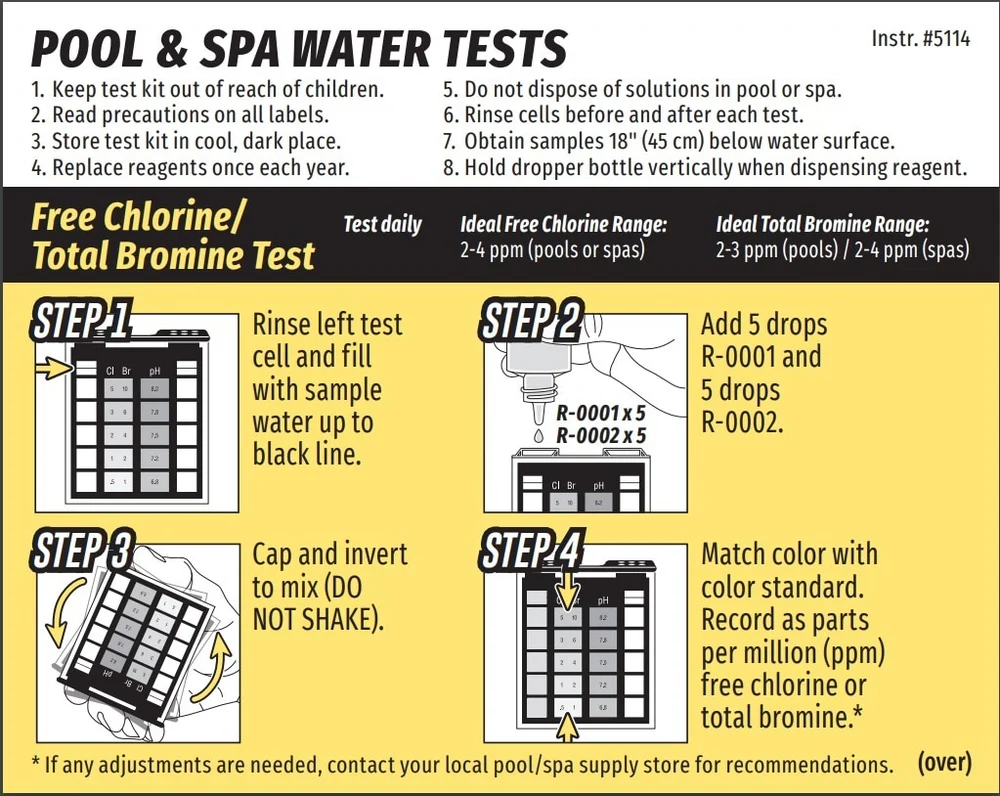
- Rinse the left test cell and fill with sample water up to the black line. Collect water 18" below the surface, away from return jets.
- Add 5 drops R-0001 and 5 drops R-0002 into the left cell. Hold the dropper bottle vertically when dispensing.
- Cap and invert to mix — DO NOT SHAKE.
- Match the color to the Br column on the color standard and record in parts per million (ppm). If the color falls between two values, it is the average of the two.
🩷 pH Test
Uses R-0014 · Read the pH column · Ideal: 7.4–7.6
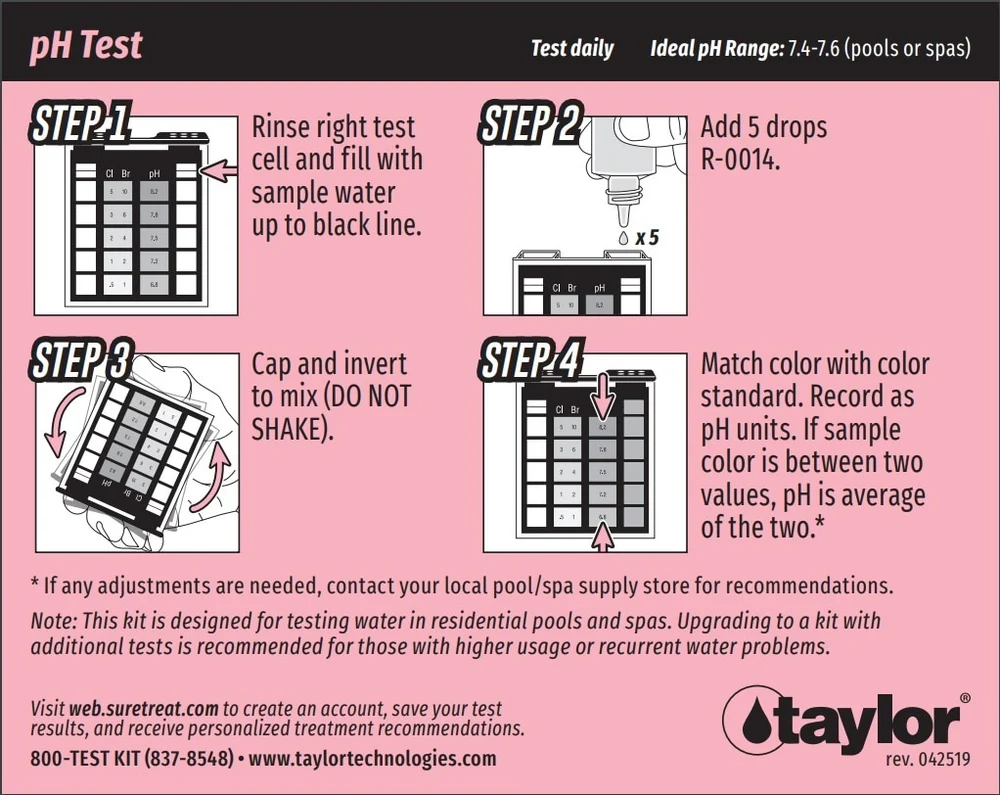
- Rinse the right test cell and fill with sample water up to the black line.
- Add 5 drops R-0014 (Phenol Red) into the right cell. Hold the dropper bottle vertically.
- Cap and invert to mix — DO NOT SHAKE.
- Match the color to the pH column on the color standard and record as pH units. If the color falls between two values, pH is the average of the two.
Reading Your Results
| Reading | What it means |
|---|---|
| Br < 2 ppm | Low bromine |
| Br 2–3 ppm | ✅ Ideal |
| Br > 4 ppm | High bromine |
| pH < 7.4 | Too acidic |
| pH 7.4–7.6 | ✅ Ideal |
| pH > 7.6 | Too alkaline |
Kit Care & Safety
- Rinse cells before and after each test
- Do not dispose of solutions in the pool or spa
- Store kit in a cool, dark place out of reach of children
- Replace reagents once each year
- Read precautions on all reagent labels before use